KenIT Solutions POS
App Releases & Version Hub
Download signed production Android APKs for KenIT Solutions POS and our flagship partner Benloso Building Hub. Optimized for smart POS handhelds, tablets, smartphones, and ESC/POS thermal receipt printers.
Download Production Signed APKs
Direct installation without third-party app store restrictions. Fully compatible with POS handhelds (Sunmi, iMin) and consumer Android devices.
KenIT Solutions POS
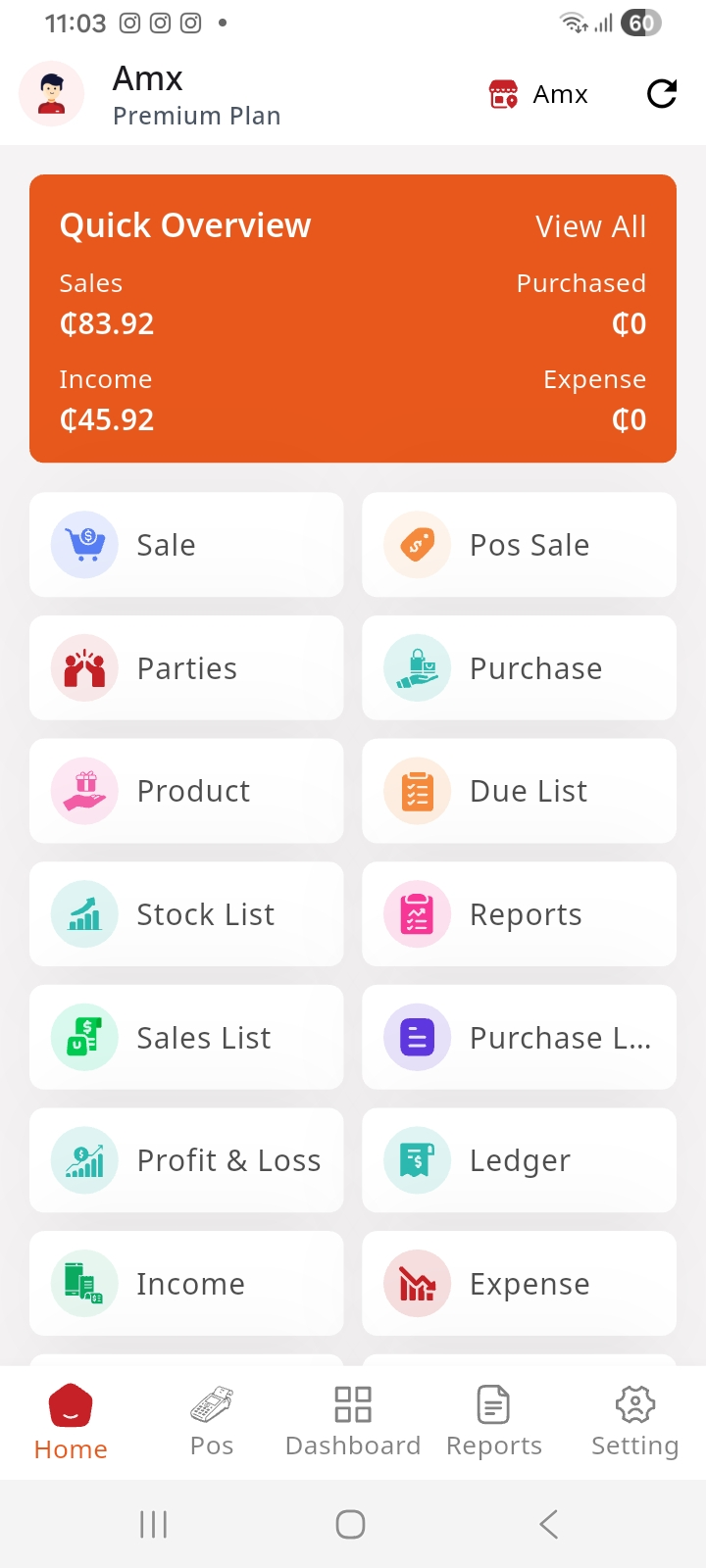
com.kenitsolutions.pos
Flagship multi-tenant Android POS designed for retail supermarkets, wholesale distributors, hardware stores, and multi-branch chain businesses with cloud sync, real-time analytics, and ESC/POS thermal printing.
- Multi-branch switching & branch warehouse transfers
- High-speed ESC/POS Bluetooth & USB thermal receipt printing (58mm/80mm)
- Offline checkout counter mode with automatic SQLite cloud sync
- Camera barcode reader + USB HID laser scanner support
- Multiple payment splits (Cash, Mobile Money/MoMo, Card, Credit/Due)
- Cashier shift opening & closing cash drawer audits
Benloso Building Hub POS
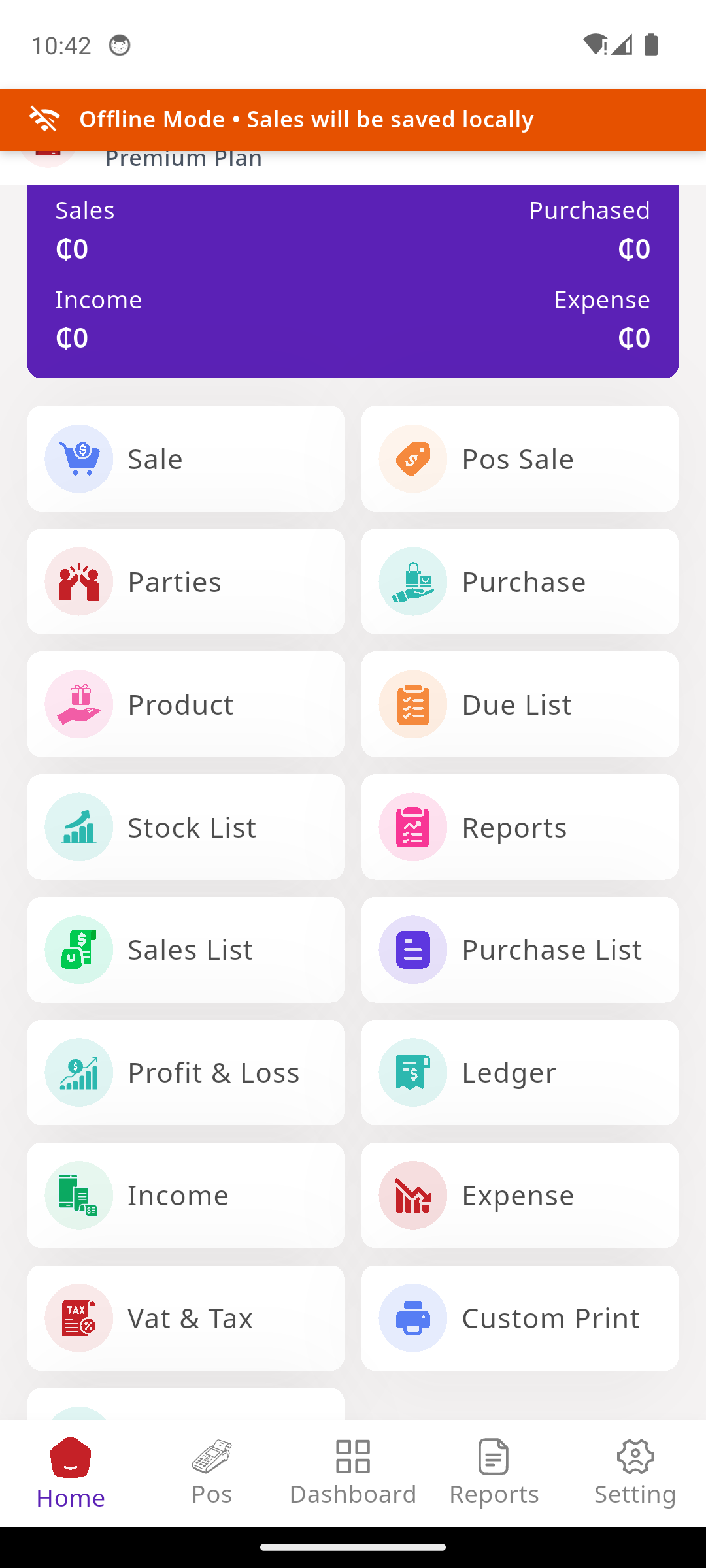
com.benloso.pos
Customized enterprise client edition engineered exclusively for Benloso Building Hub. Tailored for heavy construction materials, multi-unit bulk metrics, and wholesale trade credit accounts.
- Dedicated Benloso branding, identity & visual dashboard
- Heavy building material metrics (bags, packets, bundles, tons, square meters)
- Wholesale and distributor price-tier automation
- Direct Bluetooth receipt printer integration with custom Benloso headers
- Offline sales cache with instant sync to cloud inventory
- Customer ledger balance verification at counter checkout
Version History & Changelogs
Detailed release notes, bug fixes, thermal printing drivers, and architecture improvements.
Build #14 — Major Feature & Stability Release
Critical performance release with overhauled ESC/POS thermal printing engine, SQLite offline sync queue stability, Android 15 compatibility, and high-speed camera barcode scanning.
- Hardware Upgraded ESC/POS Bluetooth driver with auto-detection for 58mm and 80mm paper widths, automatic cut command, and custom logo headers.
- Offline Enhanced SQLite offline caching mechanism: pending transactions queue reliably without data loss and auto-reconcile on network restoration.
- Scanning Integrated autofocus barcode & QR camera scanner with instant flashlight torch trigger for low-light warehouse scanning.
- Core Target SDK upgraded to Android 15 (API 35) with modern runtime permission management.
- Speed Optimized product list rendering for catalogs with more than 15,000 SKUs.
- Security Enforced TLS 1.3 encryption across all cloud API synchronizations.
Build #13 — Feature Update
Added multi-currency POS transactions, split payment mode (Cash + MoMo + Card), and detailed cashier shift drawer auditing.
- Payments Split payments support: cashiers can accept mixed payments (e.g. half Cash, half Mobile Money) on a single invoice.
- HRM Cashier shift opening balance, drawer cash in/cash out tracking, and end-of-shift discrepancy reports.
- Invoicing Configurable dual-tax breakdown (VAT, NHIL, GETFund) on printed receipts.
- Fix Fixed intermittent Bluetooth printer disconnect when tablet screens went to sleep.
Build #11 — Feature Update
Introduced customer ledger balance lookups directly from the checkout screen and branch stock transfer receipting.
- Parties Instant customer credit limit and ledger balance badge displayed on customer selection.
- Inventory Inter-branch stock transfer receiving module with barcode verification.
- UI Modernized tablet grid view with larger touch targets for high-volume cashier desks.
Build #1 — Initial Production Release
First official production release of KenIT Solutions POS and Benloso Building Hub Android applications.
- Core Initial release of native Flutter POS client with cloud synchronization.
- Hardware Support for handheld Android POS terminals (Sunmi, iMin) and Bluetooth thermal printers.
- Modules Full sales, purchases, product catalogs, customer dues, and daily dashboard analytics.
Supported POS Hardware & Peripherals
Engineered to run seamlessly across all industry-standard POS hardware, Bluetooth thermal receipt printers, and USB barcode guns.
Smart Handheld POS Terminals
Android Tablets & Phones
Thermal Receipt Printers
Barcode & QR Scanners
Cash Drawers
Universal ESC/POS Driver
No proprietary driver software needed. Native direct bytecode rendering supports standard 58mm and 80mm ESC/POS commands with paper cut and drawer kick triggers.
How to Install on Android POS Terminals
Follow these simple steps to install the APK directly on your device in under 60 seconds.
Important Notice on "File might be harmful" Warning
Because you are downloading directly outside the Google Play Store, Android will display a standard warning stating: "File might be harmful. Do you want to download KenIT_POS.apk anyway?". This is completely standard for direct enterprise APK distribution. Tap "Download anyway" or "Install anyway". All KenIT Solutions and Benloso builds are cryptographically signed with our enterprise release key and SHA-256 verified.
1. Download the APK
Tap either Download KenIT POS or Download Benloso POS above, or point your terminal's camera at the QR code to start the download.
2. Allow Unknown Apps
If prompted, go to Settings > Apps > Chrome (or Files) > Install Unknown Apps and toggle on "Allow from this source".
3. Tap Install
Open your device's Downloads folder, tap the .apk file, and click Install. Once completed, tap Open.
4. Grant Permissions
Grant Bluetooth (for wireless thermal printers) and Camera (for barcode and QR scanning) permissions when requested.
5. Sign In & Start Selling
Sign in with your branch credentials. The app will automatically pull catalog items, prices, and tax profiles into the local offline SQLite database.
Updating in Future
When an update is released, simply download the new APK and install it over the existing one. Android retains your offline data and login session automatically.
Programmatic Version Check API
Build automated OTA updaters, fleet management scripts, or Kiosk checkers with our lightweight JSON version check endpoint.
min_supported_version and force_update booleans.{
"status": "success",
"message": "App version metadata retrieved successfully.",
"data": {
"app_name": "KenIT Solutions POS",
"latest_version": "1.0.13",
"latest_build": 14,
"release_date": "2026-10-12",
"force_update": false,
"apps": {
"kenit": {
"title": "KenIT Solutions POS (Universal Multi-Tenant)",
"version": "1.0.13",
"build": 14,
"package_name": "com.kenitsolutions.pos",
"size_mb": "173.11 MB",
"sha256": "f1797c52ed7737f209353cc80e8fde786334a139...",
"download_url": "https://pos.verity-app.tech/downloads/KenIT_POS.apk"
},
"benloso": {
"title": "Benloso Building Hub POS (Enterprise)",
"version": "1.0.13",
"build": 14,
"package_name": "com.benloso.pos",
"size_mb": "173.20 MB",
"sha256": "a7bb1e9995b65638c8b8c82f8d283bb5d62bbc19...",
"download_url": "https://pos.verity-app.tech/downloads/Benloso_POS.apk"
}
}
}
}Need Assistance Sideloading or Configuring POS Terminals?
Our technical deployment team can assist you with bulk terminal rollouts, Bluetooth printer configuration, and cashier staff onboarding anywhere in Ghana.